
Using AI to express the ‘So what’ of data
Designing an AI-powered tool to bring 20 years of consultancy experience onto analytic dashboards.
Product: AI B2B SaaS | Role: End-to-end design process
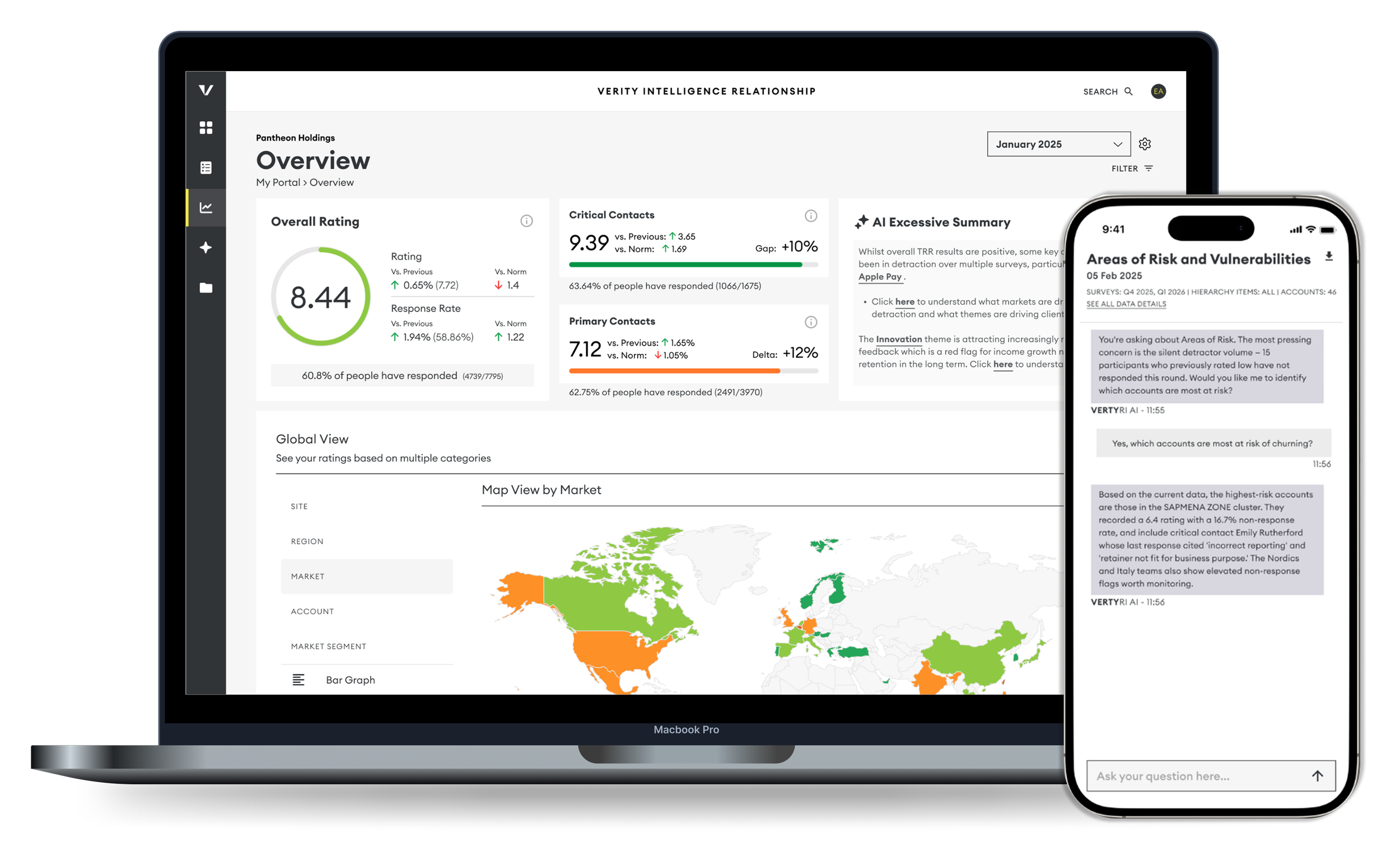
Overview
VerityRI has 20 years of consultancy frameworks and benchmarking expertise. This project aimed to embed that intelligence directly into our analytics dashboards using AI, transforming static data into strategic, executive-level guidance.
I led the end-to-end design process, partnering with our AI Data Analyst, Head of Global Insights, onsultants and early adopters.
Our users were senior leaders within large international holding groups (time-poor decision-makers) who needed clarity, not charts.
The Challenge
Our dashboards were rich in data but required interpretation. Strategic guidance was traditionally delivered during quarterly consultant reviews.
The opportunity was to:
Deliver insight instantly
Preserve our consultancy tone and credibility
Avoid generic AI summaries
Protect client trust
This couldn’t feel like an add-on AI feature. It had to feel like VerityRI thinking.
Designing with AI (Not Just for AI)
Before designing the interface, I immersed myself in the backend capabilities of our AI systems. I completed AWS AI and machine learning training to better understand feasibility, constraints, and model behaviour.
This technical grounding allowed me to:
Design within real system limitations
Collaborate more effectively with data science
Anticipate cost and scalability implications
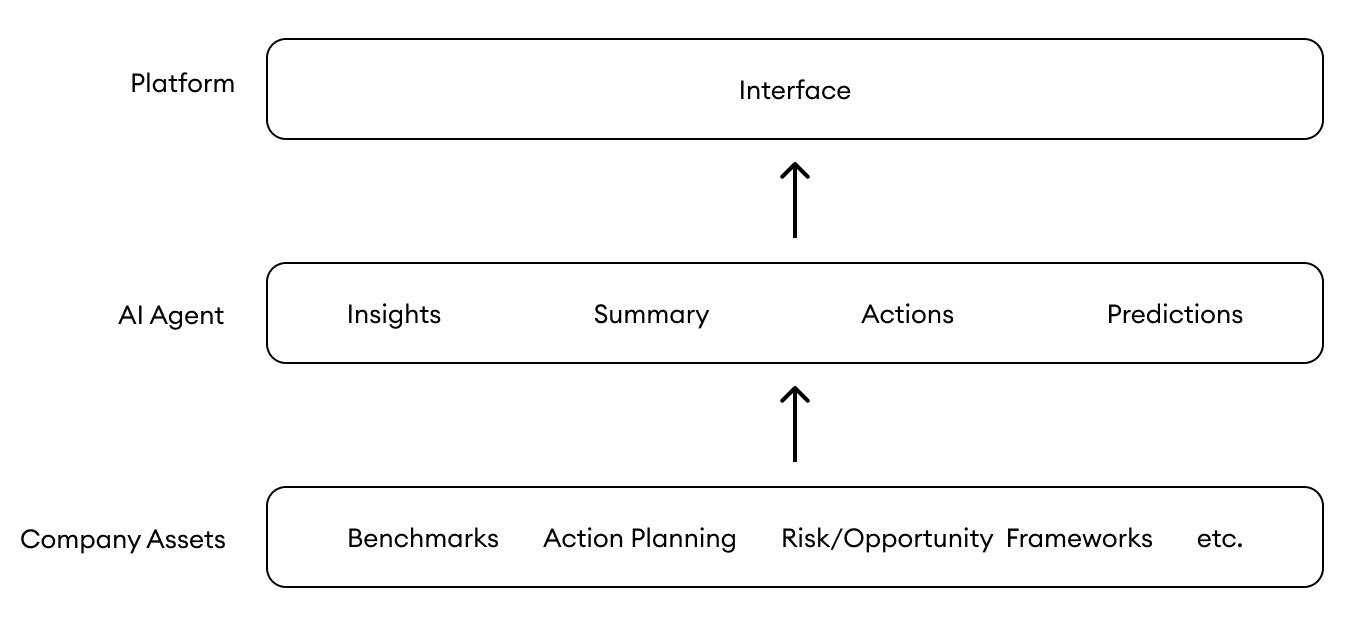
Training the Model
Through biweekly cross-functional working sessions, we refined outputs using reinforcement learning. Together with the Insights and Consultancy Team, we:
Reviewed AI-generated summaries
Calibrated tone to match our consultancy voice
Ensured benchmark references were meaningful
Filtered out commercially risky or misleading interpretations
These sessions evolved from alignment meetings into structured model training workshops.
The focus was always clear: automation must enhance trust, not jeopardise it
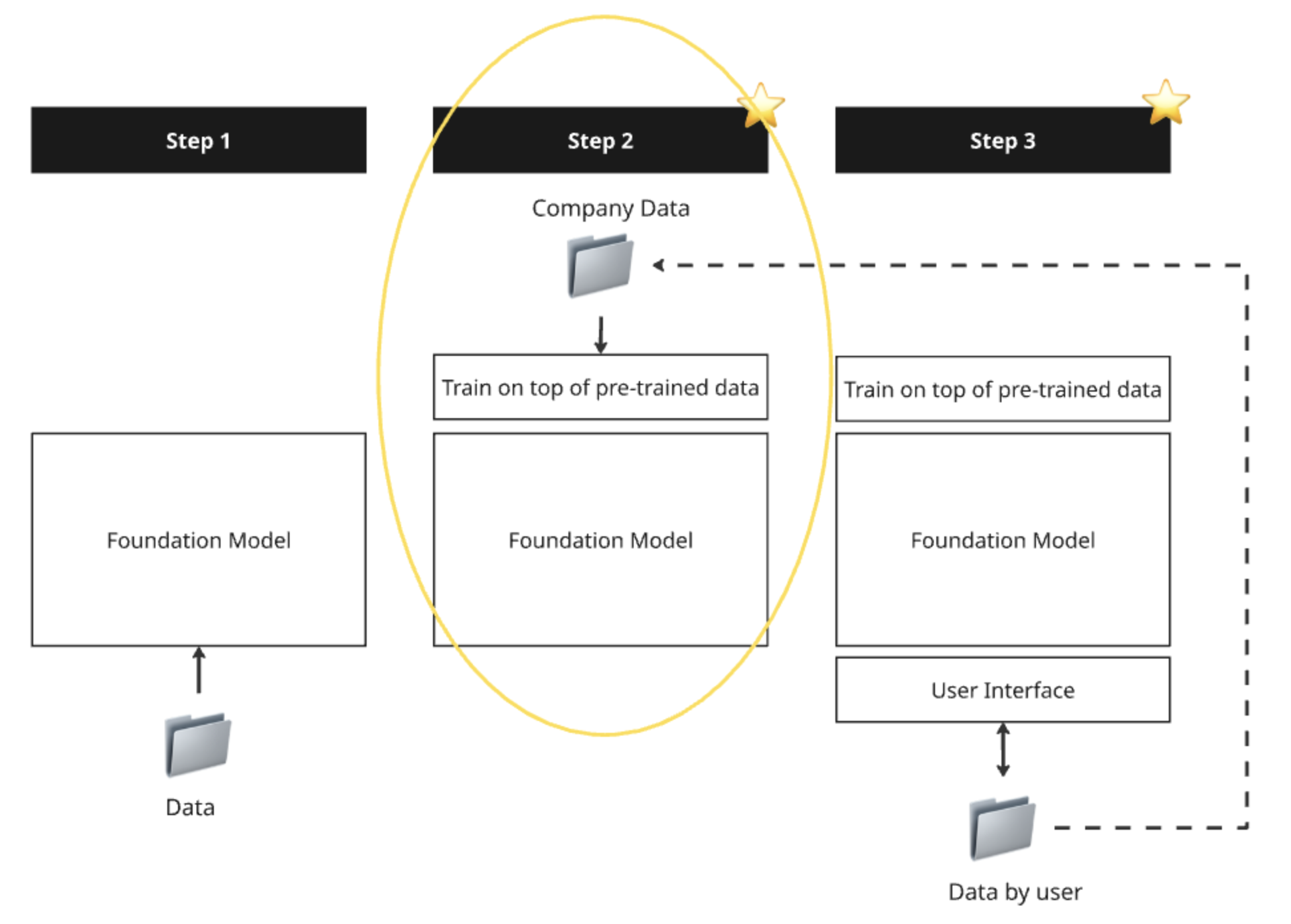
Step 2 and 3 is where I contributed most to the project
Internal tool we used for reinforcement learning:
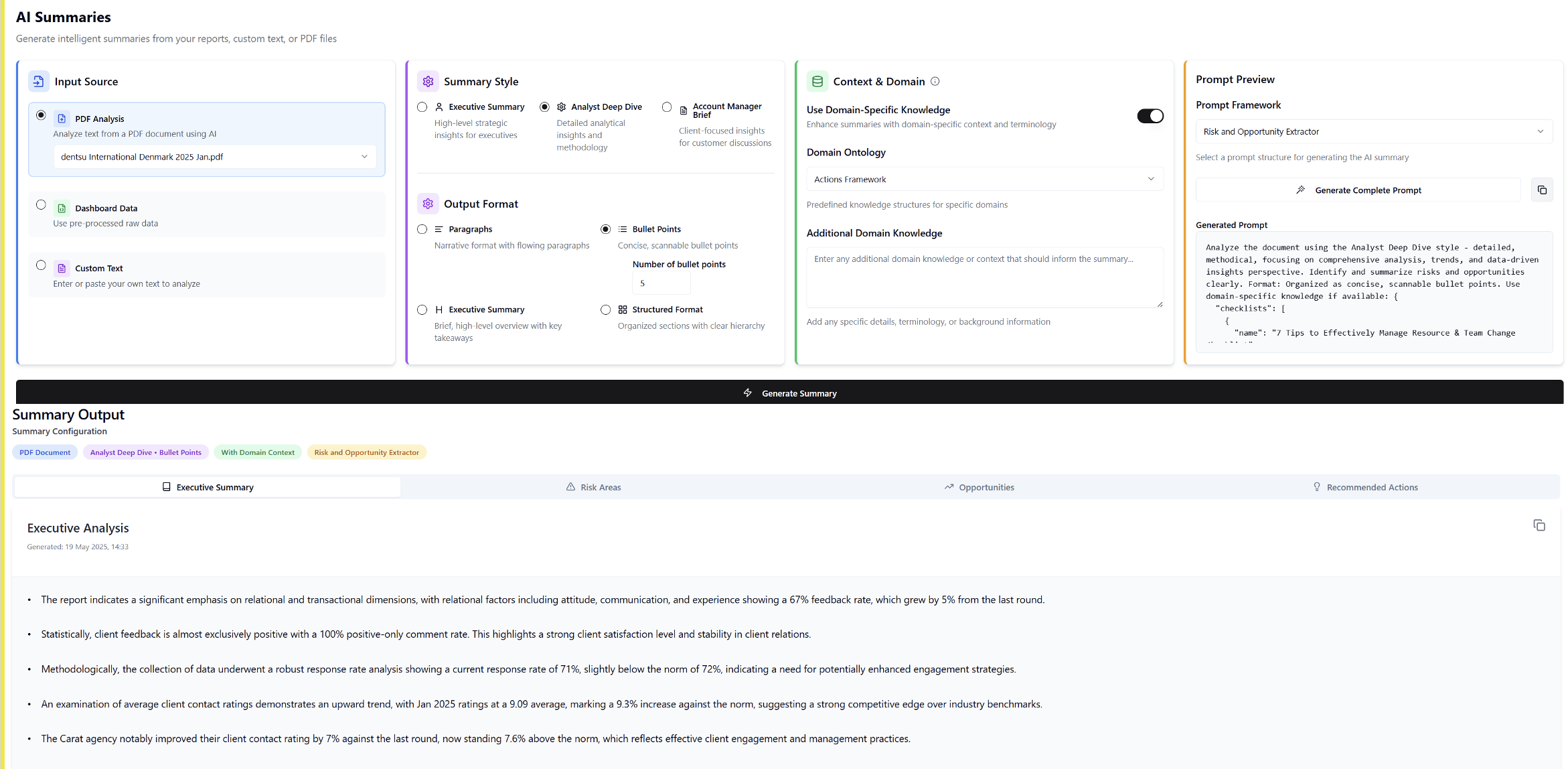
Part way throug training I gained enough clarity to begin designing the interface that would be available on the dashboard
Accelerating My UX Workflow with AI
Alongside designing the product, I intentionally took this opportunity to use AI to accelerate my own design workflow.
My process included:
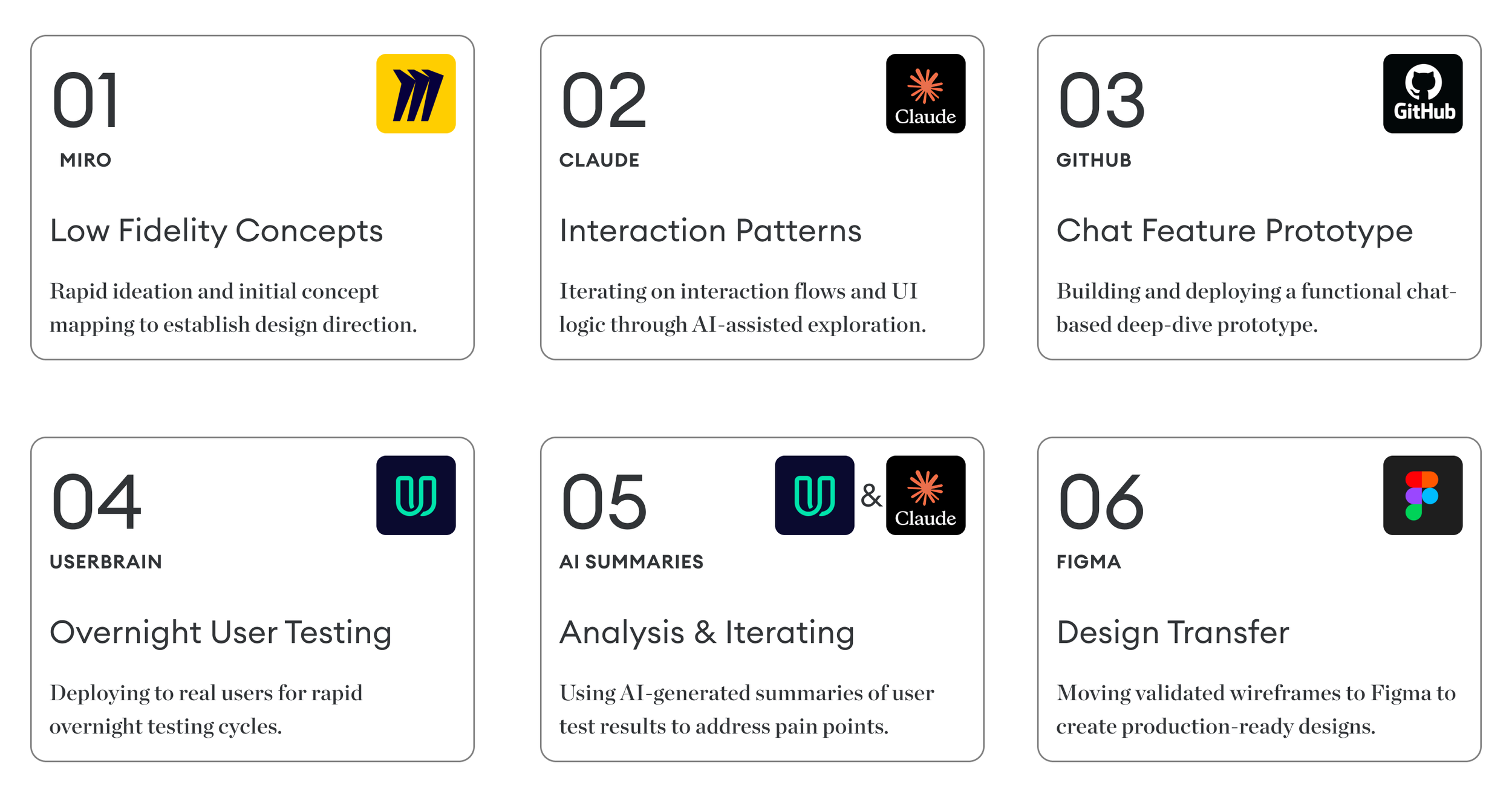
Creating low-fidelity concepts in Miro
Iterating interaction patterns in Claude
Prototyping a chat-based deep-dive feature via GitHub
Deploying to UserBrain for rapid overnight user testing
Using AI-generated summaries to identify friction points
Iterating rapidly before transferring designs into Figma
This was a new, exciting approach that allowed:
Faster validation cycles
Reduced prototype turnaround time
Data-backed iteration within 24-hour windows
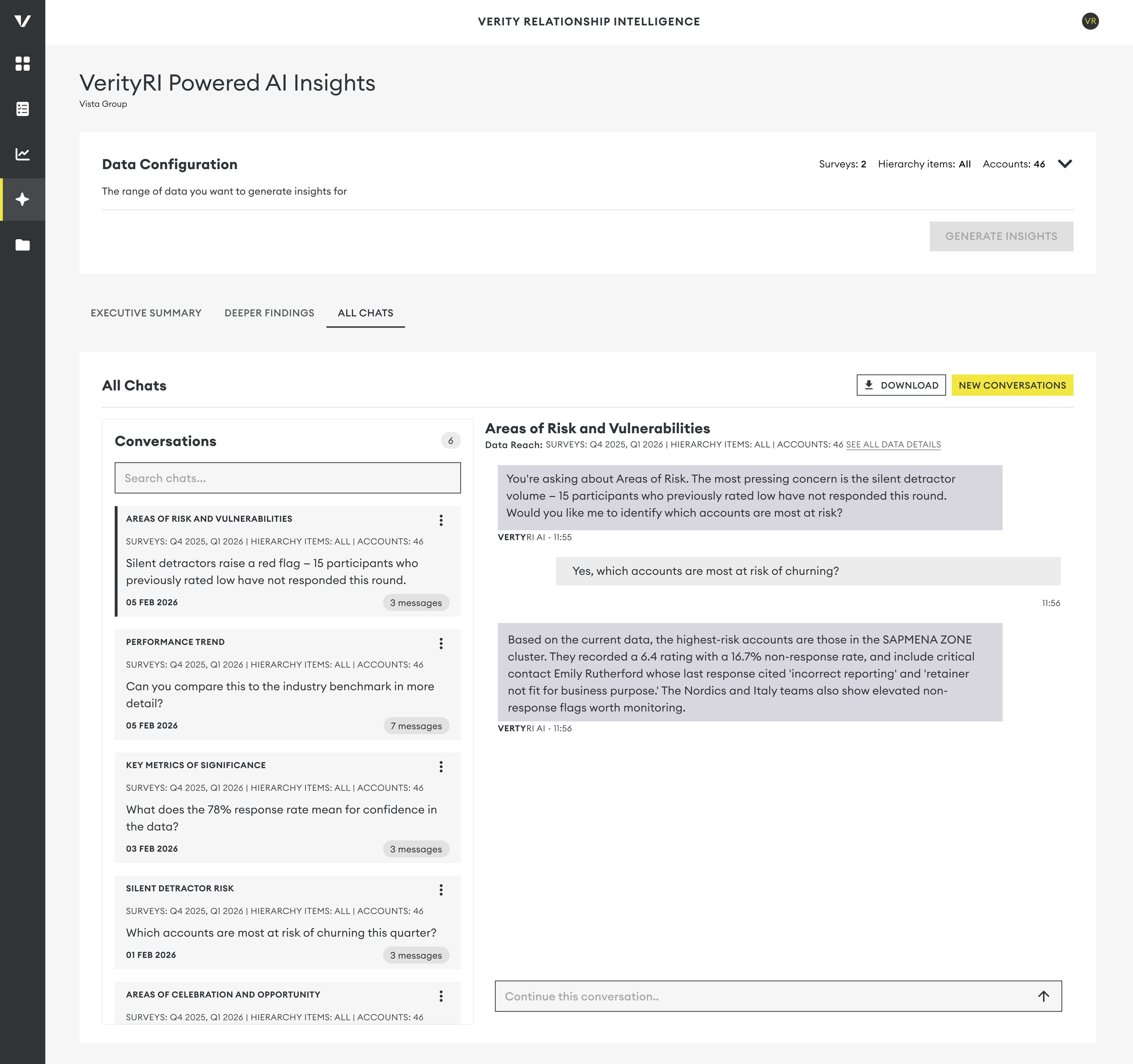
One key feature validated through this process was the ability for users to “chat” deeper into executive summaries, transforming static insight into interactive exploration.
Using AI to design an AI product created a powerful feedback loop between concept, validation, and refinement.
Results & Impact
We launched a beta version to a select group of early adopters.
‘Getting these kinds of insights without waiting for our quarterly relationship review with consultants is a game changer.’ — Early Beta User
Impact included:
Increased engagement with dashboards
Reduced reliance on manual interpretation
Faster access to actionable insights
Strengthened perception of VerityRI as AI-forward while maintaining credibility
Most importantly, users felt empowered, not overwhelmed by their data.
User Interface
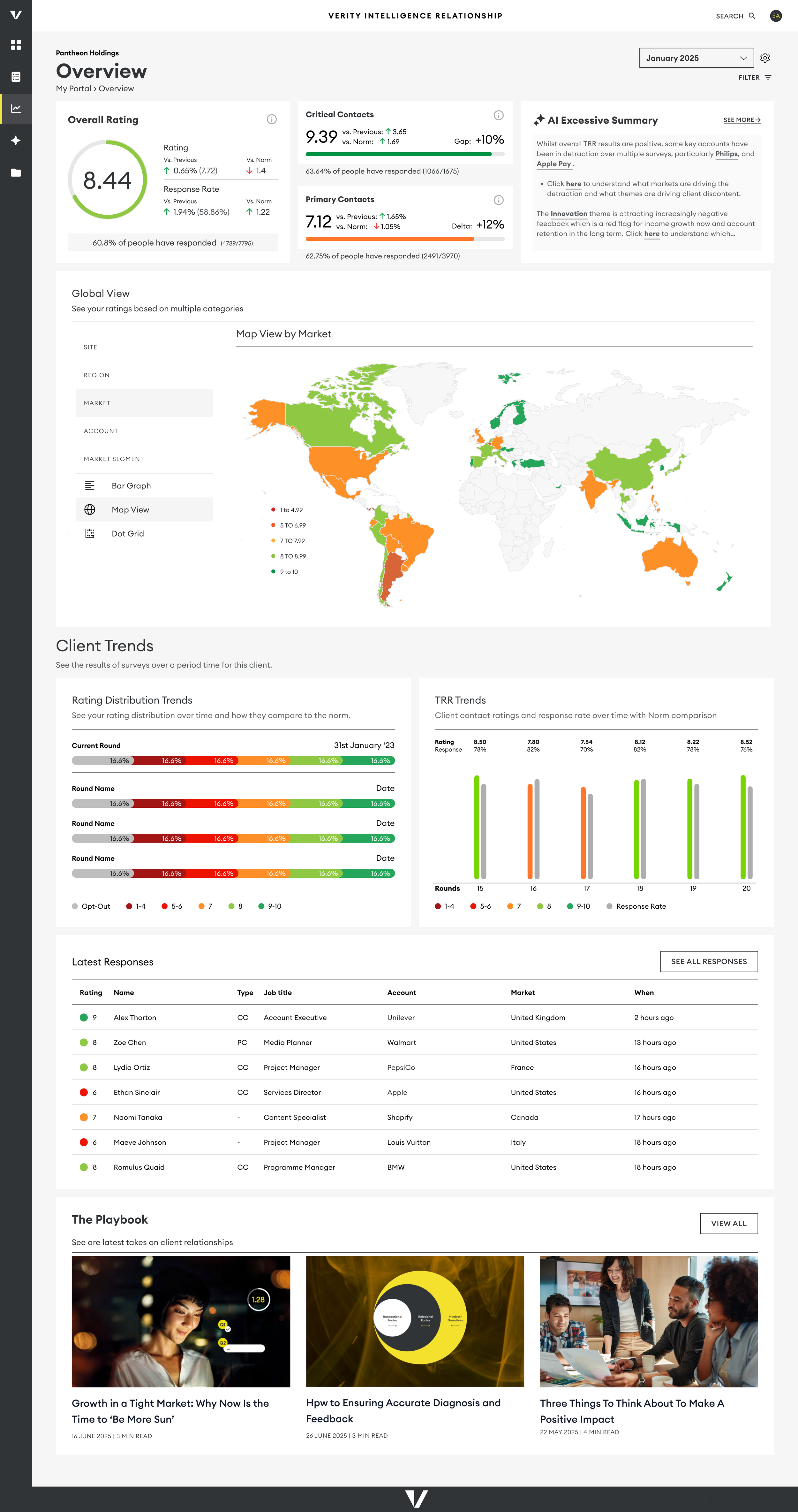
AI-powered short summary displayed on the dashboard landing page, providing an instant, high-level view of key insights.
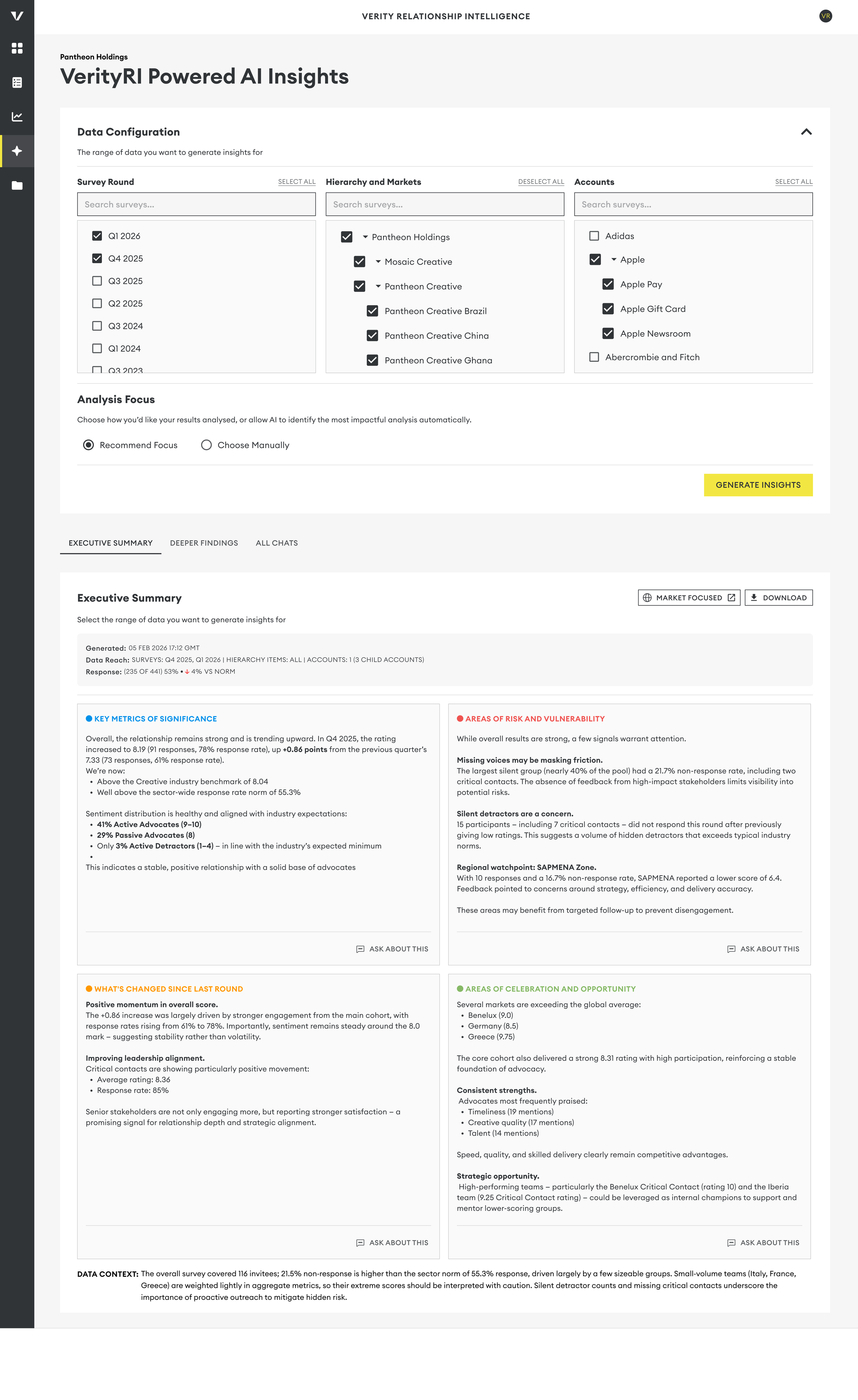
Dedicated AI insights view allowing users to filter by accounts, markets, and focus areas, with the ability to explore findings in greater depth.
Interactive chat functionality enabling users to ask follow-up questions and dive deeper into specific aspects of the executive summary.
Learnings & Next Steps
Leadership & Strategic Growth
This project required navigating:
AI capability constraints
Cross-functional alignment
Brand and trust risks
Executive stakeholder expectations
The most critical insight:
Designing AI experiences isn’t just about interface design. It’s about shaping how intelligence behaves within a trusted ecosyste
Key Takeaways
Designers must engage early in an AI-powered project to make informed decisions.
AI can meaningfully accelerate UX workflows when used intentionally.
Trust, tone, and commercial awareness are as critical as technical accuracy in AI products.
What’s Next
We continue refining the model based on beta feedback and plan to expand access across client groups in the coming months.
Biggest Takeaway
This project reinforced that UX leadership in the AI era extends beyond interface design. It requires shaping how humans and intelligent systems think, interact, and create value together.
" In the pre-software age, the only thing designers had to worry about was how a product was built. But in the post-software era, we have to think about how the product will behave..."
- Ovetta Sampson and Tim Brown